ERP Med module
Patient reception, requests and admissions
Everything starts at reception. Patients are registered once, with a permanent ID number, and every service request (consultation, laboratory, radiology, care or inpatient stay) takes its price from the catalogue and insurer agreements.
Admissions then follow the stay step by step: every status change is timestamped, up to the discharge preparation screen, which brings together what was used, what was paid and what is still due.
Reception
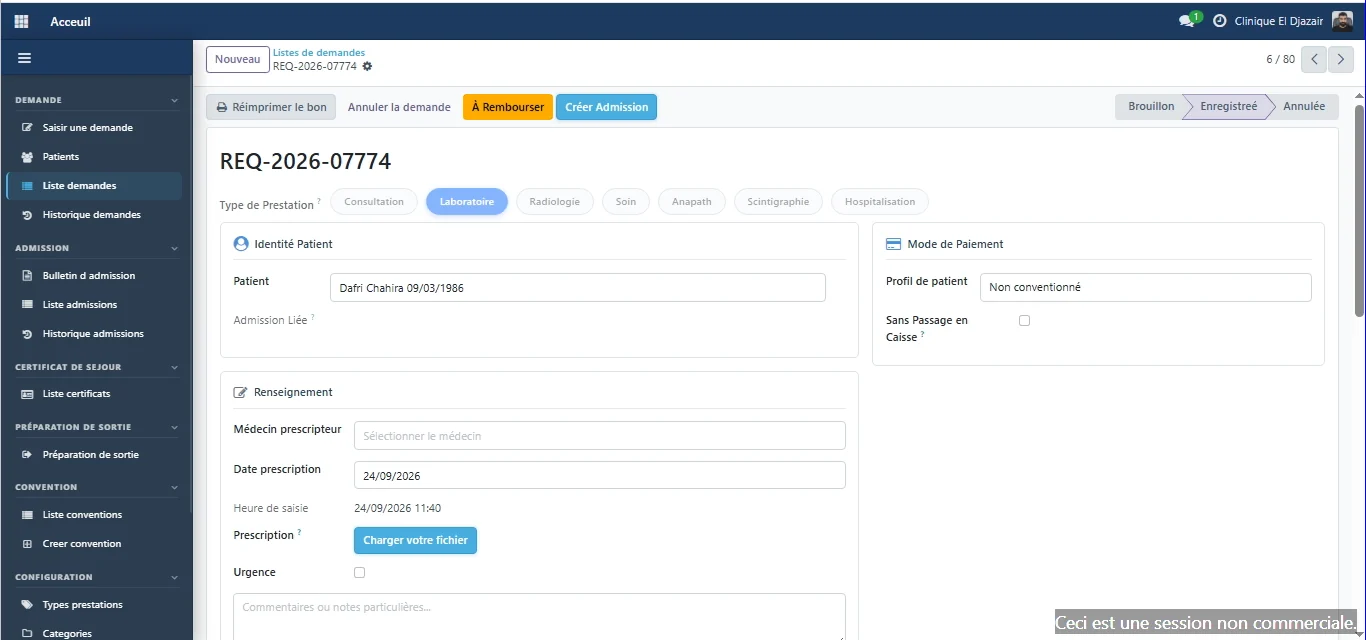
The service request, where the journey starts
The patient is registered once, with a permanent ID number. The resulting request then feeds every other module.
- Consultation, laboratory, radiology, care, pathology, scintigraphy and inpatient stays are all entered on the same screen.
- The prescribing physician, the prescription date and the scanned prescription are attached to the request.
- The request's workflow has its own status, separate from its payment status.
Pricing
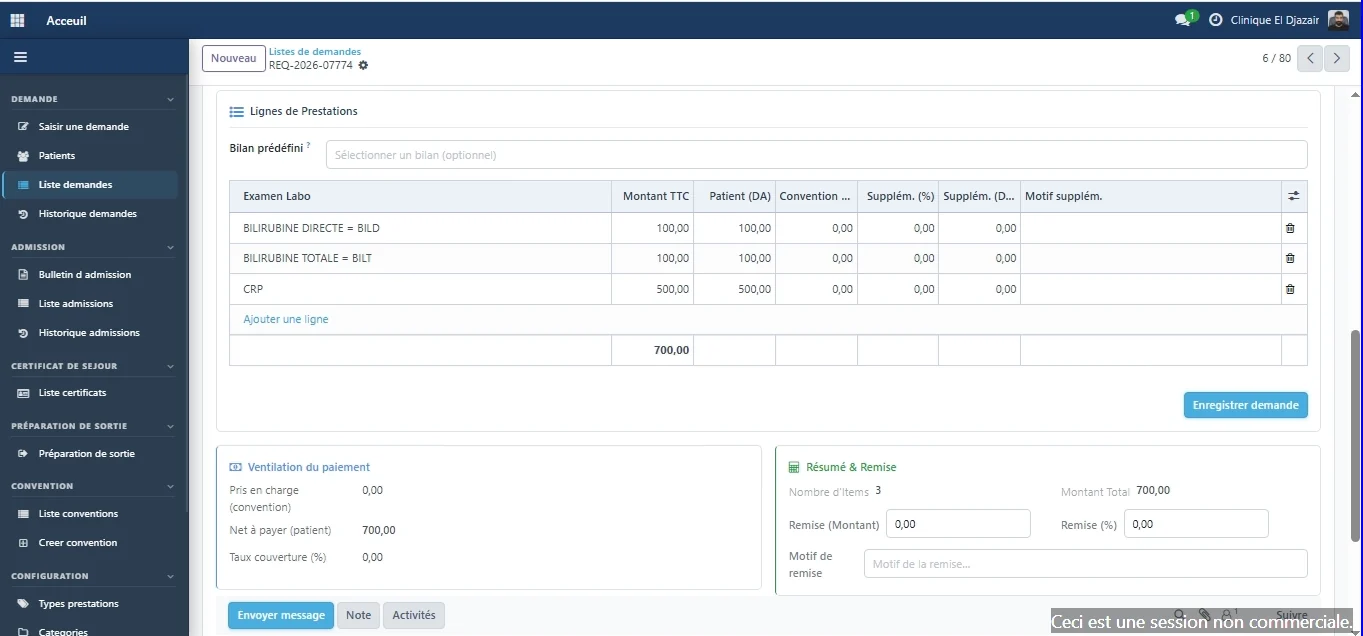
The amount is calculated from the catalogue
Each service added takes its price from the reference catalogue. The share covered by the insurer and the patient's balance appear on the same screen.
- Payment breakdown: covered by the agreement, net payable by the patient and coverage rate.
- Discounts are entered as an amount or a percentage, with a reason.
- The request total is recalculated with every line added.
Admissions
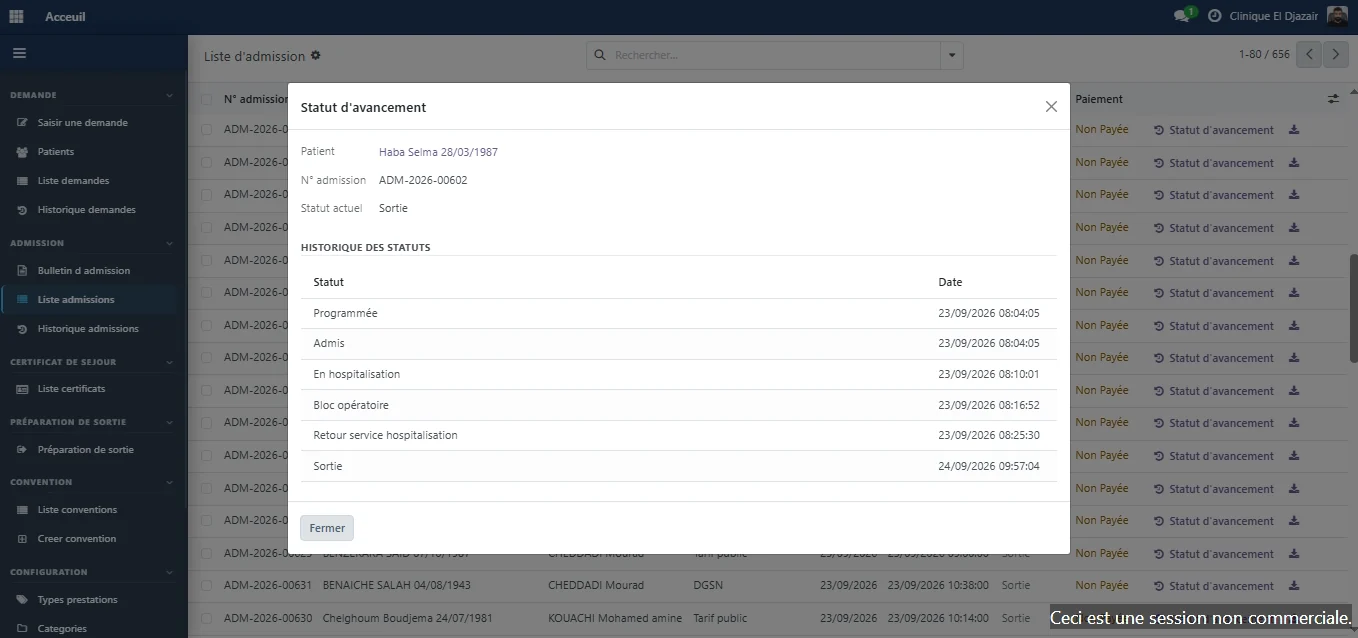
Every status change is timestamped
Timestamps are automatic: the stay reads like a timeline, with nothing to piece back together.
- Scheduled, admitted, inpatient, operating theatre, back to ward, discharged: each step carries its date and time.
- The admission form brings together identity, planned procedure, care team and floor.
- ID documents and the signatory's undertaking are scanned into the file.
Patient discharge
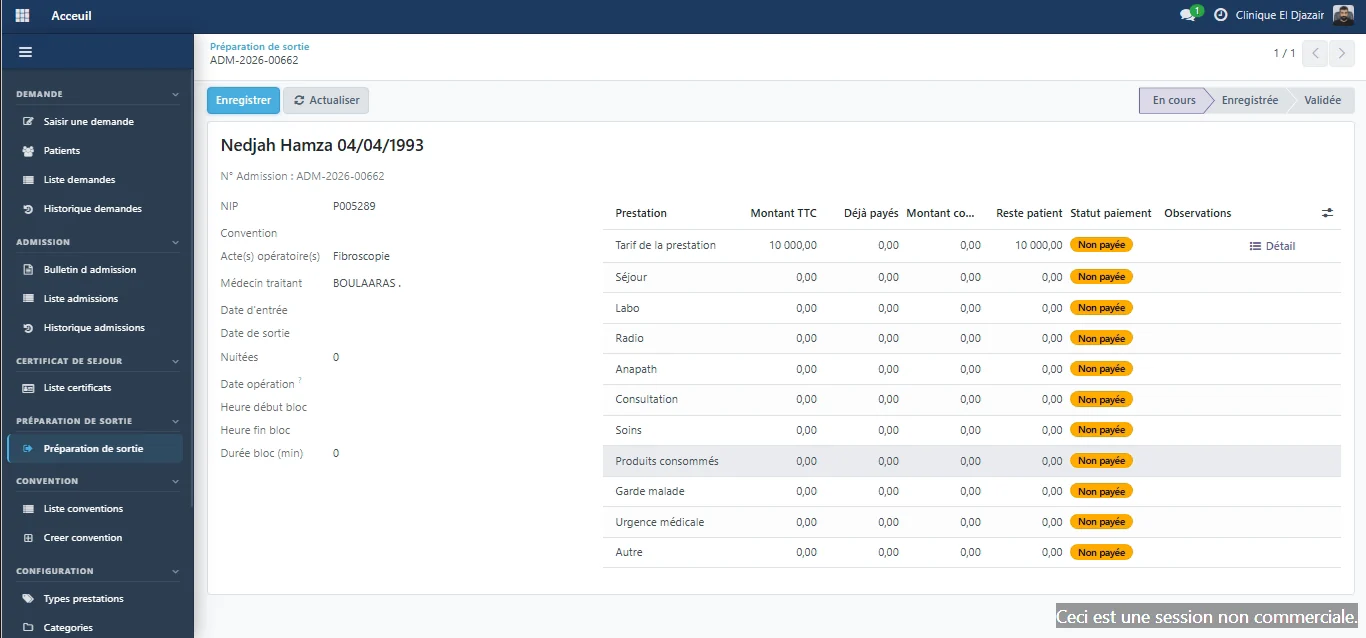
The stay, itemised line by line
Before the patient leaves, the discharge screen gathers what the stay consumed, what has already been paid and what remains due.
ERP Med
The other modules, on the same patient record
- Inpatient careWard arrivals, bed plan and care sheet, linked to the record of the stay. — Explore the Inpatient care module
- LaboratoryTest dispatching, result entry and biological validation. — Explore the Laboratory module
- Cash deskPayments calculated by the system, cash sessions with variance control. — Explore the Cash desk module
- Billing & agreementsPartner insurers, covered shares and agreement invoices. — Explore the Billing & agreements module
- Practitioner feesFee scales per procedure and role, fees calculated on collections. — Explore the Practitioner fees module
- InventoryProducts and stock movements, consumption tracked per ward and per patient. — Explore the Inventory module
- Fixed assetsA single register of equipment and assets, with their history. — Explore the Fixed assets module
- DashboardsThirteen views on finance, activity and billing, plus custom dashboards. — Explore the Dashboards module
A demo built on your own cases.
Your services, your insurer agreements and your fee rules, run through ERP Med: judge it on the evidence.