ERP Med module
Inpatient care: wards, beds and bedside tracking
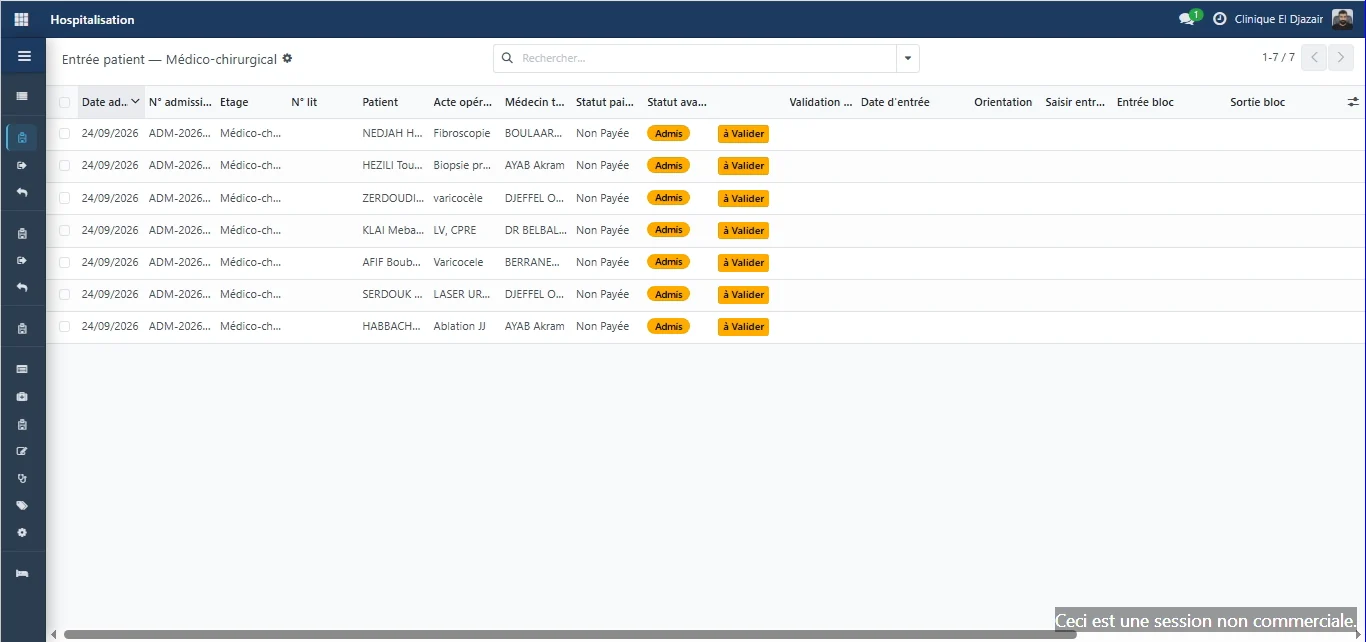
Medical-surgical, maternity, operating theatre: each ward works in its own screen. Staff confirm the patient's arrival, direct them and assign a bed on the ward plan, where every bed is shown with its status.
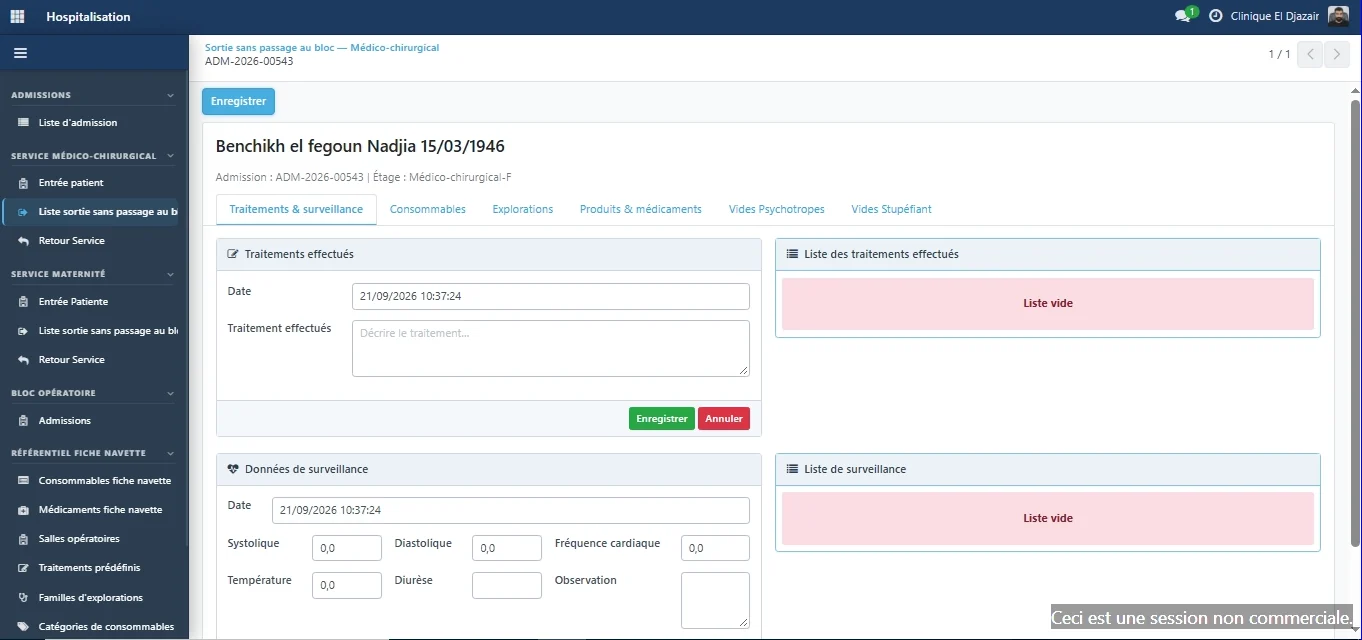
At the bedside, the care sheet records treatments, vital signs, consumables and medication. Whatever is used during the stay then appears on the discharge invoice, with no re-entry.
Inpatient care
Every ward works in its own screen
Medical-surgical, maternity, operating theatre: staff confirm the patient's arrival, direct them and assign a bed.
- Staff only see the files of the ward they belong to.
- Bed assignments are recorded, which prevents double bookings.
- Theatre entry and exit are timestamped and flow into the stay record.
Beds and rooms
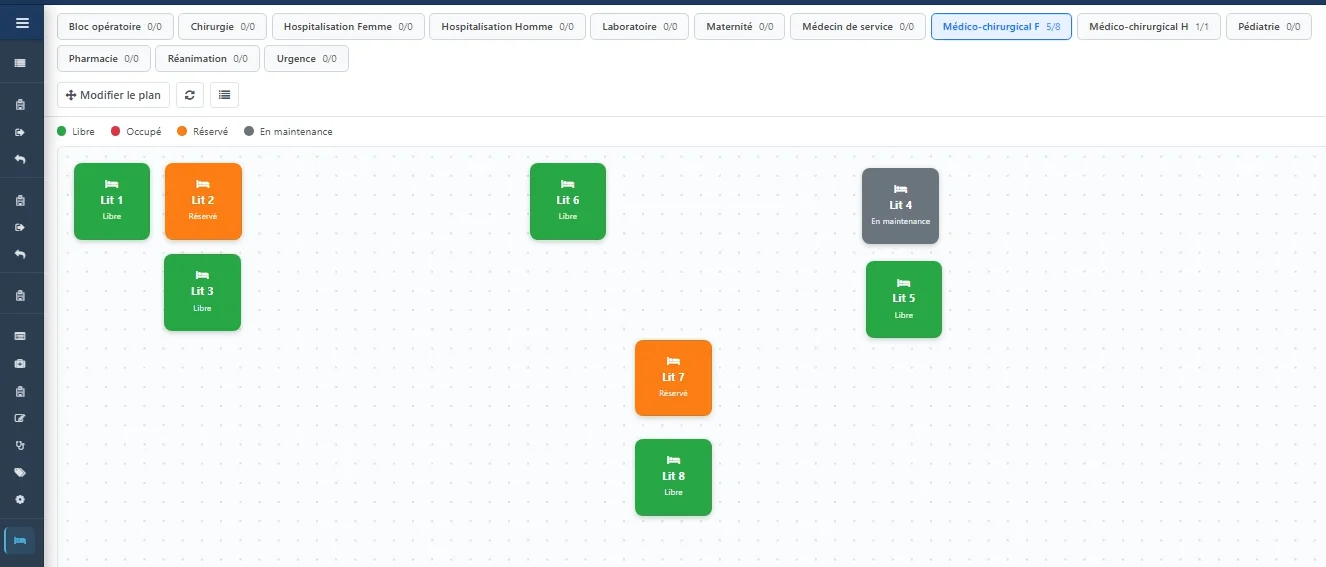
Every bed and its status, at a glance
Each ward has its own floor plan, showing beds as they are laid out, with their status: free, occupied, reserved or under maintenance.
- One tab per ward — operating theatre, maternity, medical-surgical, paediatrics, intensive care, emergency… — each with its bed counter.
- The plan can be rearranged to match the actual room layout.
- A bed under maintenance is flagged as such on the plan.
Bedside follow-up
The care sheet replaces loose paper
Treatments given, vital signs, consumables, medication and investigations become part of the patient record.
- Blood pressure, heart rate, temperature and urine output are recorded with their timestamps.
- Separate tabs cover consumables, investigations, products and controlled drugs.
- What is consumed during the stay appears on the discharge invoice.
ERP Med
The other modules, on the same patient record
- Reception & admissionsPatient registration, service requests and admissions tracked through to discharge. — Explore the Reception & admissions module
- LaboratoryTest dispatching, result entry and biological validation. — Explore the Laboratory module
- Cash deskPayments calculated by the system, cash sessions with variance control. — Explore the Cash desk module
- Billing & agreementsPartner insurers, covered shares and agreement invoices. — Explore the Billing & agreements module
- Practitioner feesFee scales per procedure and role, fees calculated on collections. — Explore the Practitioner fees module
- InventoryProducts and stock movements, consumption tracked per ward and per patient. — Explore the Inventory module
- Fixed assetsA single register of equipment and assets, with their history. — Explore the Fixed assets module
- DashboardsThirteen views on finance, activity and billing, plus custom dashboards. — Explore the Dashboards module
A demo built on your own cases.
Your services, your insurer agreements and your fee rules, run through ERP Med: judge it on the evidence.