ERP Med module
Laboratory: from request to validated result
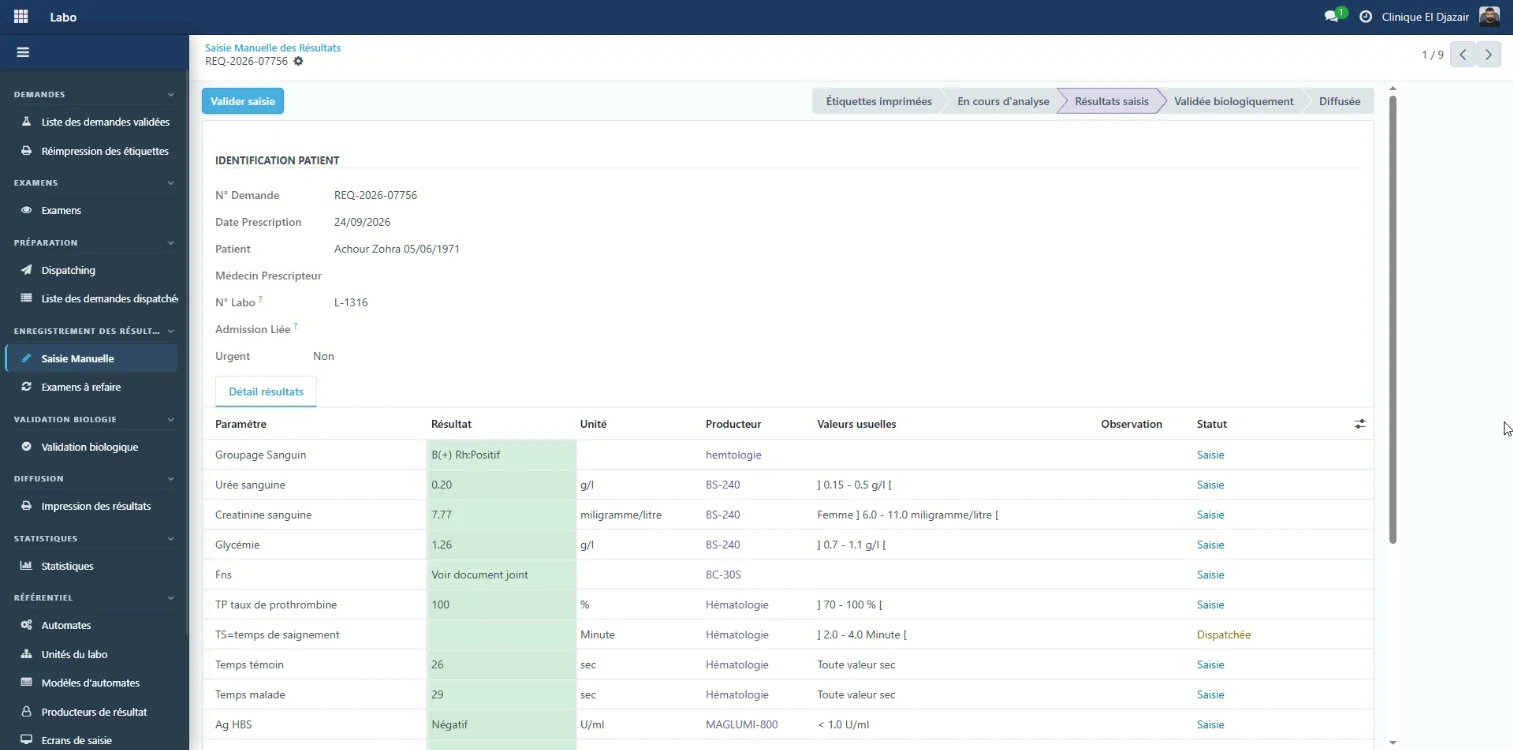
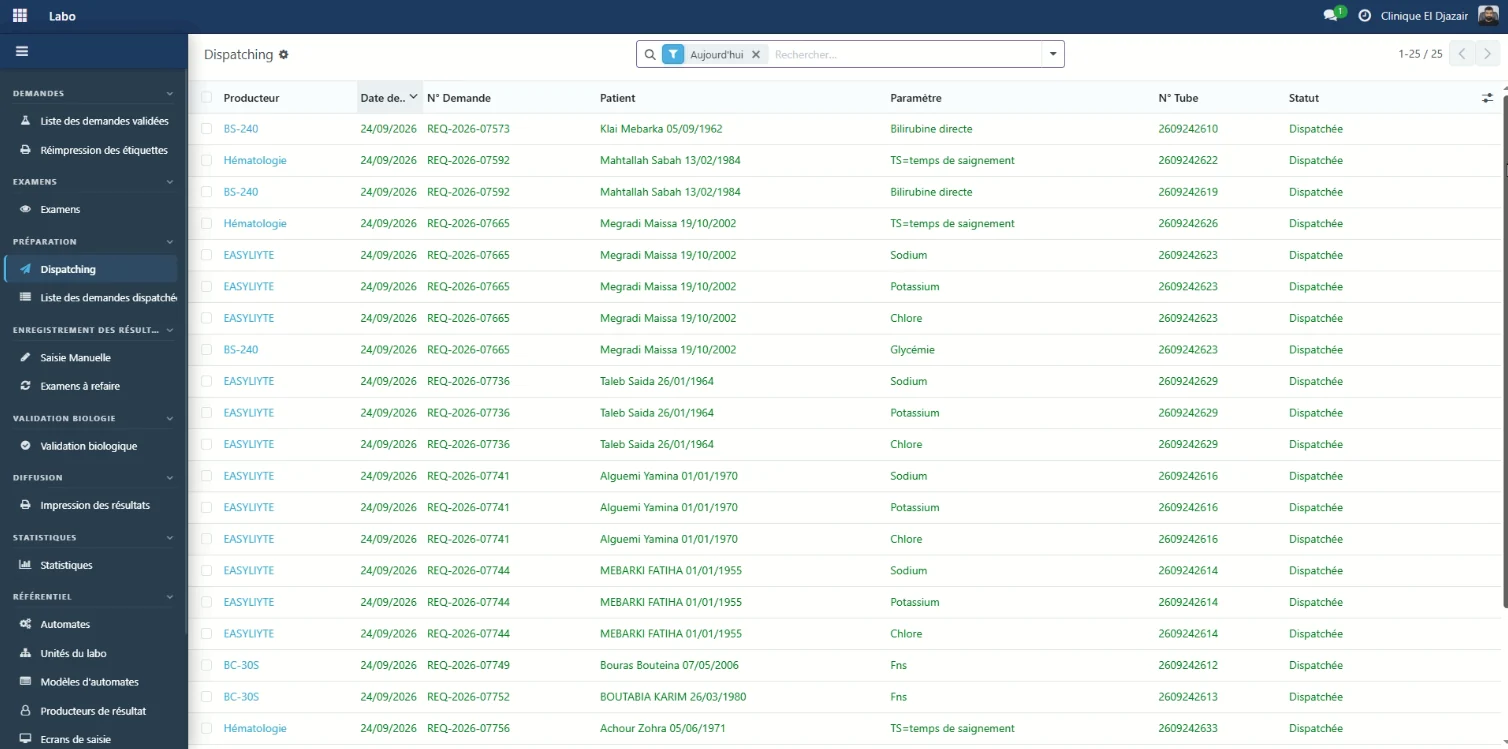
The laboratory receives the requests entered at reception. Each parameter is routed to the analyser or bench that must process it, with its tube number, and every instrument has its own worklist.
Results are entered with their unit and reference ranges, then go through biological validation before they are released. Tests to be repeated have their own list.
Laboratory
From sample to validated result
The laboratory receives requests, routes each parameter to the instrument that processes it, then enters and validates the results.
- Each parameter is shown with its unit, its source instrument and its reference ranges.
- The workflow runs from “labels printed” to “released”, through biological validation.
- Tests to be repeated have their own dedicated list.
Laboratory
Every parameter goes to its instrument
Dispatching routes each test to the analyser or bench that processes it, with the matching tube number.
- Each instrument gets its own worklist.
- Tube labels are generated by the system from the request.
- Urgent requests are flagged right on the worklist.
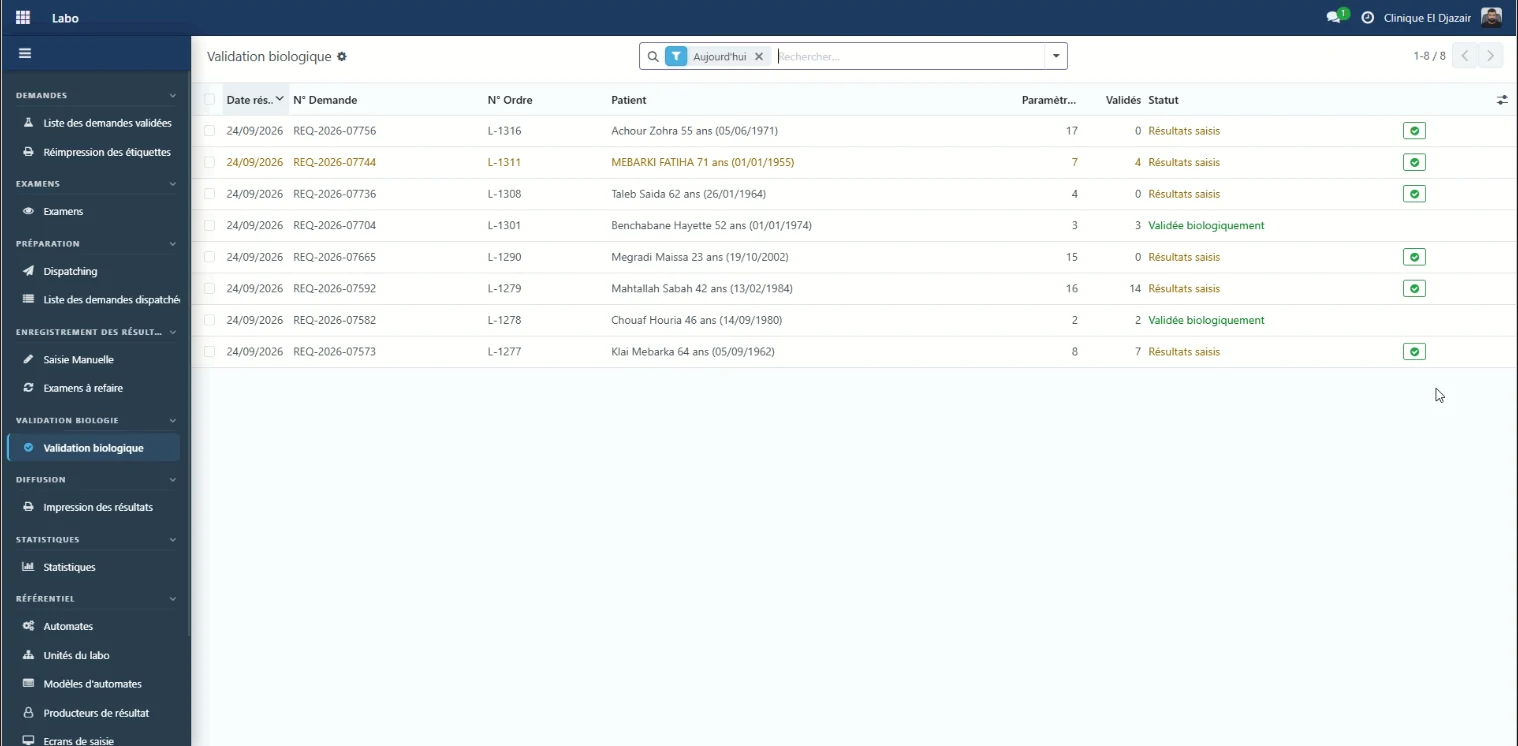
Biological validation
Biological validation, file by file
In a result's workflow, biological validation comes before release. The validation screen shows, for each file, how many parameters have been entered and how many are still awaiting validation.
ERP Med
The other modules, on the same patient record
- Reception & admissionsPatient registration, service requests and admissions tracked through to discharge. — Explore the Reception & admissions module
- Inpatient careWard arrivals, bed plan and care sheet, linked to the record of the stay. — Explore the Inpatient care module
- Cash deskPayments calculated by the system, cash sessions with variance control. — Explore the Cash desk module
- Billing & agreementsPartner insurers, covered shares and agreement invoices. — Explore the Billing & agreements module
- Practitioner feesFee scales per procedure and role, fees calculated on collections. — Explore the Practitioner fees module
- InventoryProducts and stock movements, consumption tracked per ward and per patient. — Explore the Inventory module
- Fixed assetsA single register of equipment and assets, with their history. — Explore the Fixed assets module
- DashboardsThirteen views on finance, activity and billing, plus custom dashboards. — Explore the Dashboards module
A demo built on your own cases.
Your services, your insurer agreements and your fee rules, run through ERP Med: judge it on the evidence.