ERP Med module
Cash desk: controlled payments, session by session
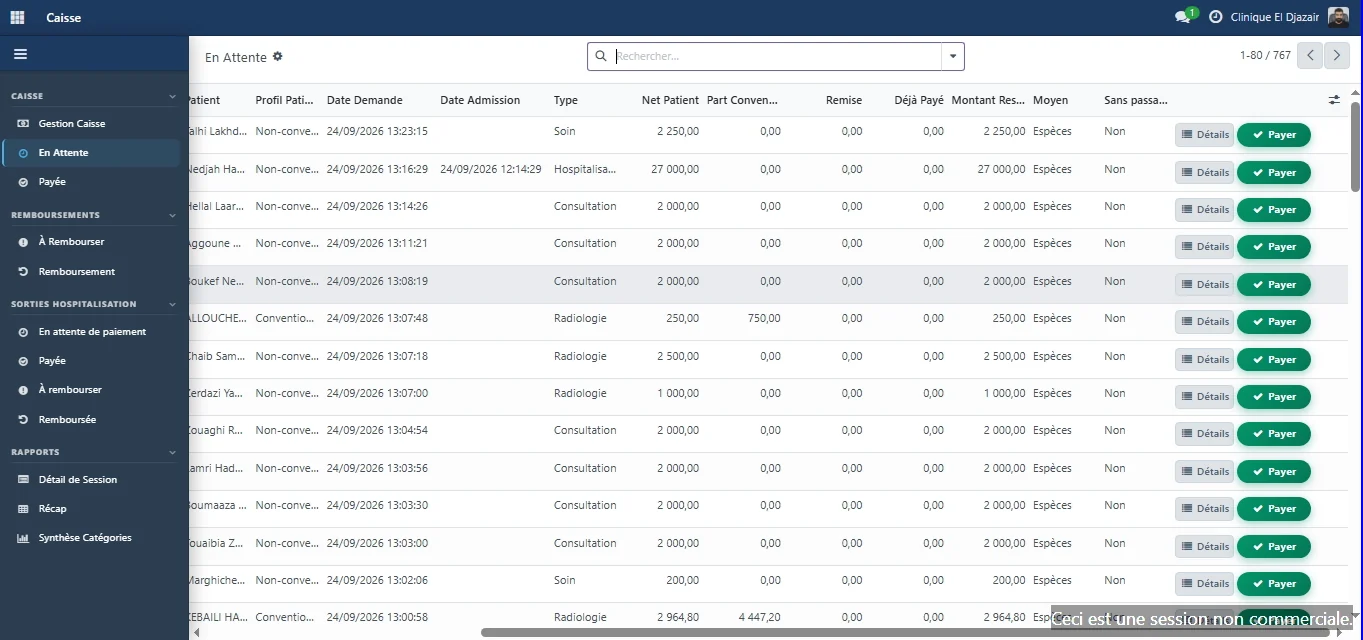
At the cash desk, the amount is already calculated: it comes from the catalogue, insurer agreements and any discount entered at reception. The cashier finds the request, checks the services and collects payment by cash, card, cheque or bank transfer, in one or several instalments.
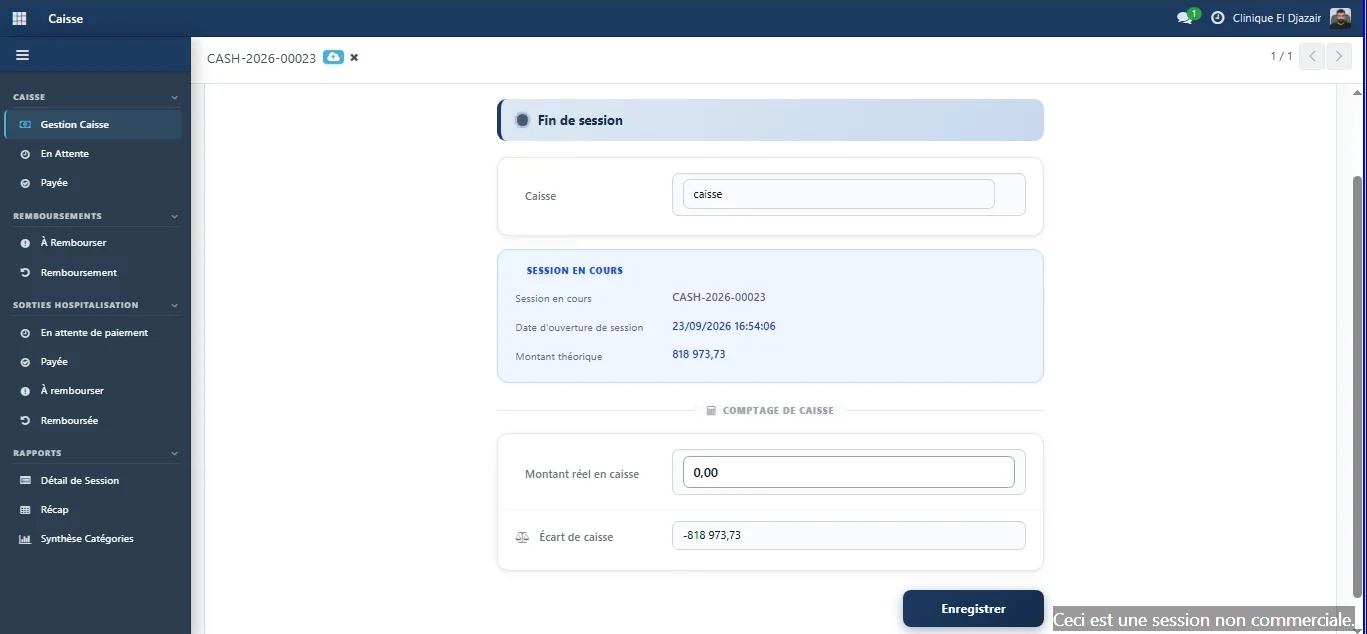
Every payment belongs to a session opened by an identified cashier. At closing, the system compares the expected amount with what is counted in the drawer, and the variance is recorded.
Cash desk
The cashier calculates nothing
They find the request, check the service details and collect the amount set by the system.
- Cash, card, cheque or bank transfer; partial payment is supported.
- Every payment carries a receipt number linked to its request and, where relevant, to its admission.
- The balance due is recalculated with each payment.
Control
Open, count, close
Every payment belongs to a session opened by an identified cashier. At closing, the system compares what it expects with what is actually in the drawer.
- The expected amount is calculated by the system; the actual amount is counted by the cashier.
- The variance between the two is displayed and recorded.
- Each session records who opened it and who closed it.
The big picture
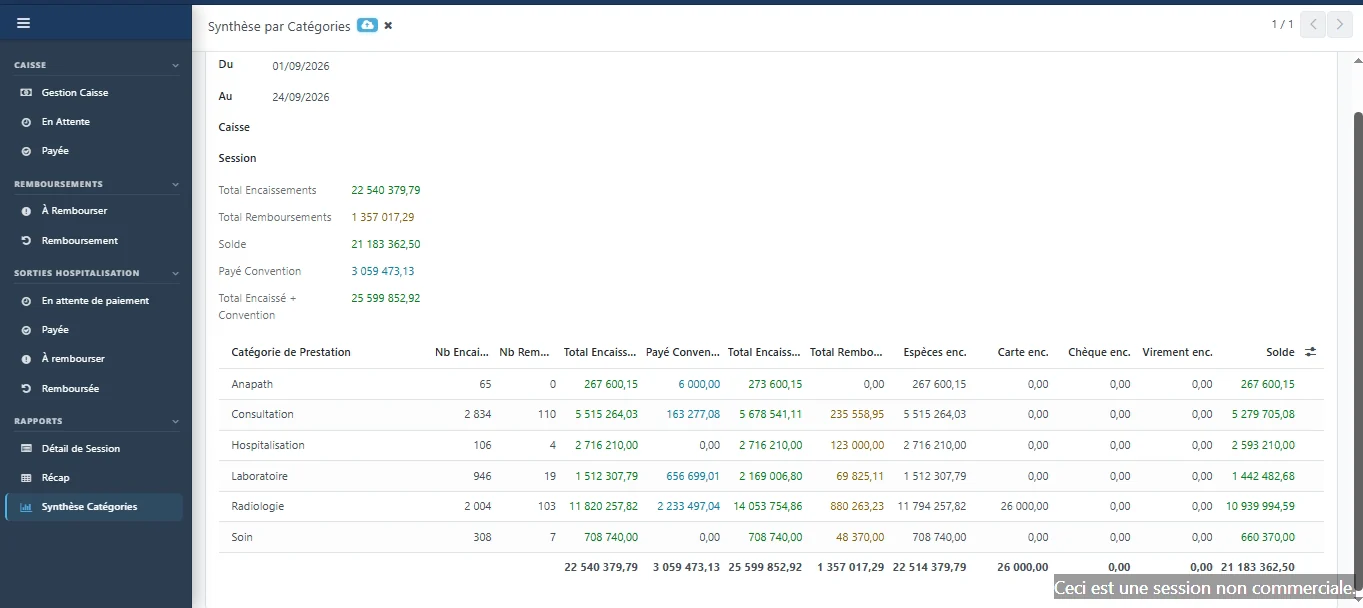
Activity, read by service category
The summary brings together, for the chosen period, what was collected and what was covered by insurers.
ERP Med
The other modules, on the same patient record
- Reception & admissionsPatient registration, service requests and admissions tracked through to discharge. — Explore the Reception & admissions module
- Inpatient careWard arrivals, bed plan and care sheet, linked to the record of the stay. — Explore the Inpatient care module
- LaboratoryTest dispatching, result entry and biological validation. — Explore the Laboratory module
- Billing & agreementsPartner insurers, covered shares and agreement invoices. — Explore the Billing & agreements module
- Practitioner feesFee scales per procedure and role, fees calculated on collections. — Explore the Practitioner fees module
- InventoryProducts and stock movements, consumption tracked per ward and per patient. — Explore the Inventory module
- Fixed assetsA single register of equipment and assets, with their history. — Explore the Fixed assets module
- DashboardsThirteen views on finance, activity and billing, plus custom dashboards. — Explore the Dashboards module
A demo built on your own cases.
Your services, your insurer agreements and your fee rules, run through ERP Med: judge it on the evidence.